
Free online invoicing software
with KSeF support
Submitting a notification to the Central Register of Beneficial Owners is one of the basic obligations imposed on most commercial companies, foundations, including family foundations, and other entities entered in the National Court Register. CRBR collects information about the individuals who actually control an entity and primarily serves to counter money laundering and terrorist financing. Beneficial ownership notifications are submitted to CRBR exclusively electronically, and an entity that fails to comply within the statutory deadline risks serious financial consequences.
In practice, the greatest uncertainty concerns not the existence of the obligation itself, but how to fulfil it correctly: who may sign a CRBR notification, when it must be submitted and how to go through the CRBR online system step by step. This concerns both the first notification after registering an entity and subsequent updates to beneficial ownership information when something changes in the company.
Submitting a CRBR notification step by step
In practice, submission involves importing a previously prepared notification file into the CRBR system and signing it electronically using a trusted profile or a qualified electronic signature. The individual stages are described below.
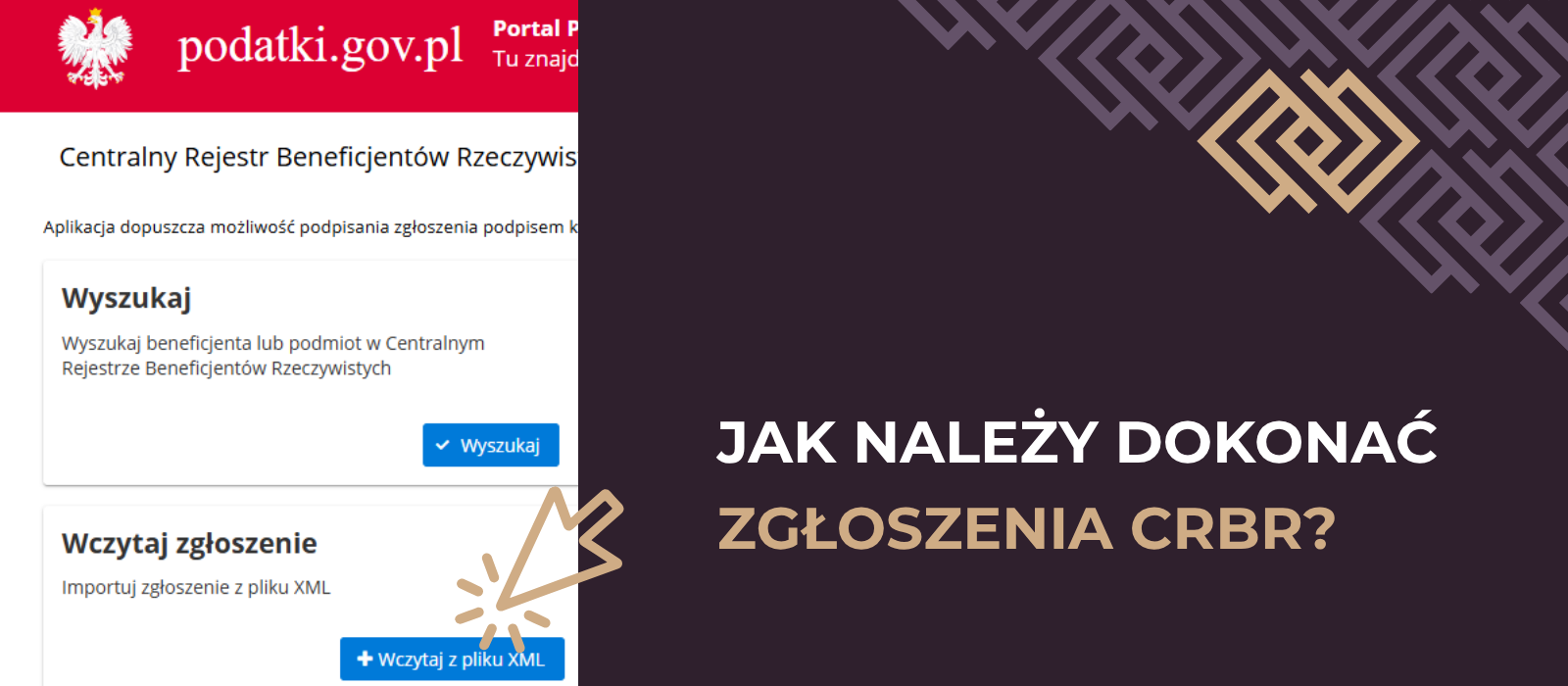
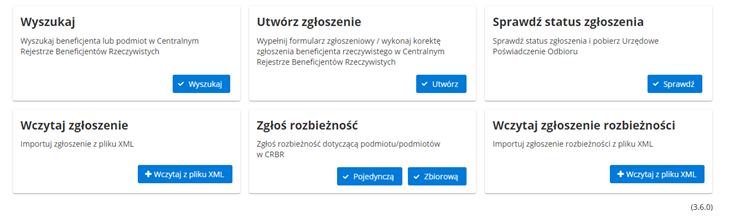
- Save the notification file received for signing on your computer, then visit the CRBR system at crbr.podatki.gov.pl and select “Wczytaj zgłoszenie” (Load notification) on the main panel.
- Import the unsigned notification file into the system by specifying its location on your disk.
- After a successful import, a summary of the notification appears, with a message at the top of the page confirming that the notification document was imported correctly. At this point, check that the summary information matches the actual situation.
- Select “Podpisz dokument” (Sign document). The system redirects you to a page where the document can be signed with an ePUAP trusted profile or a qualified electronic signature.
- After signing, you return to the notification summary. Below it, information appears showing the first and last name of the person who signed the document.
- Click “Wyślij zgłoszenie” (Send notification), then confirm with “Akceptuj” (Accept). The system displays a special code. Save and retain it, as it will later be used to download the Official Acknowledgement of Receipt, the document confirming submission to CRBR.
At this point, the CRBR notification has been submitted. Keep both the code allowing the UPO to be downloaded and the Official Acknowledgement of Receipt itself, because that document proves fulfilment of the statutory obligation in the event of an inspection.
Who must submit a CRBR notification?
The obligation to report beneficial ownership information to CRBR applies to, among others, registered partnerships, limited partnerships, limited joint-stock partnerships, limited liability companies, simple joint-stock companies and joint-stock companies other than public companies. It also applies to European economic interest groupings, cooperatives, European cooperatives, associations subject to entry in the National Court Register and foundations. Family foundations joined this group in 2023. They report their beneficial owners under similar rules, but the deadline runs from entry in the register of family foundations rather than the National Court Register. Trusts must also report if the trustee resides or has its registered office in Poland, or enters into business relationships or acquires real estate in Poland on behalf of the trust. Sole traders, however, are not covered by the CRBR reporting obligation.


Accounting that understands your business
Leave your email address to receive weekly guides to help your business grow.

How much time is allowed for a CRBR notification?
A newly registered entity has 14 working days from entry in the National Court Register to report beneficial ownership information to CRBR. For a family foundation, the deadline runs from its entry in the register of family foundations maintained by the court. Saturdays and public holidays do not count towards the deadline, so it is worth planning submission with some time to spare rather than waiting until the last possible day. A CRBR notification is free of charge. However, failure to submit, late submission or providing information inconsistent with the actual situation may result in an administrative fine on the entity of up to PLN 1,000,000. Importantly, responsibility for fulfilling this obligation rests with the persons authorised to represent the entity, usually management board members, and cannot be fully transferred to an attorney.
How should beneficial ownership information in CRBR be updated?
The obligation does not end with the first notification. Any change to information previously supplied to CRBR creates an obligation to update the notification. Examples include a change of partner or shareholder, the size of a shareholding or number of votes held, appointment or dismissal of a management board member, a beneficial owner’s residential address, citizenship or PESEL number, and changes to the ownership structure resulting from a transformation or the entry of a new investor. The entity has 14 days from the change to submit an update. If the change requires prior entry in the National Court Register, the deadline runs from that entry. If several independent changes occur within a short period, each should be reported separately within its own deadline.
Updating beneficial ownership information does not involve editing a previously submitted document, because CRBR has no such function. It means preparing and signing a new notification containing the full set of information current as at the date of the change. This automatically replaces the previously submitted version in the register. The technical process is identical to the first notification described above: save the file on your computer, load it into CRBR, check the summary, sign with a trusted profile or qualified signature, then send the notification and retain the code for downloading the UPO. As with the first notification, updating is free. Failure to update, or updating late, may result in an administrative fine on the entity of up to PLN 1,000,000.

Interested in this article? Explore our tax advisory services and see how we can help:
Summary
Prepare the notification, verify its contents, sign it electronically and send it through CRBR, retaining the receipt and retrieval code. Reporting duties continue after registration: changes require a new notification with the complete current information. Representatives should track the applicable deadlines for both initial submissions and updates.

Interested in this article?
Enter your email address and once a week you will receive practical materials and tips to help you grow your business.

Book a free consultation
Grow your business with accounting combined with advisory support:

or